

What is annotation for YouTube videos and how to create one?
What is annotation for YouTube videos and how to connect it?! What the annotation affects and what requirements it meets, all this is in our blog!
Every video blogger strives for the best, more views, likes, YouTube subscribers. And everyone tries to use various possible methods to achieve their goal.
But only a few know about such an excellent tool as youtube video annotations, using which you can not only quickly expand the audience of your channel, but also improve conversion significantly.
What is annotation for YouTube videos?
Annotation is text information that users see directly on the video at certain moments while watching.
It is displayed as a hint, a link to a website, an advertising slogan, etc.
There are five types of annotations that help attract as many users as possible:
- Balloon - used most often, it represents pop-up text tips. The background size and color can be any.
The font and its color can also be changed. Often they insert an active link to the site, which, when clicked, automatically takes the user to the specified page. - Note - used as pop-up text fields. All characteristics are similar to the callout described above.
- Title - here you can add the name of something or any other inscription. Here you can also change the color, font, size. However, in this case, you cannot insert an active link.
- “In the spotlight” - here you can highlight the necessary areas of the video to focus attention on them.
It appears in the form of a frame that outlines the necessary items in the video. The size and color can be changed, and text or URL can be added as desired. - Shortcut - here you can select the desired area with a frame and write its name. Again, you can adjust the size and color. However, the text in the frame will only be visibleafter hovering over it with the mouse cursor.
But how to make an annotation on a video, because, despite this, they are able to bring people to the site and gain subscribers in a short time.
How to create annotation for YouTube videos?
So, let's look at how to make an annotation on a YouTube video.
If you go step by step, this process is not complicated.
- Go to the YouTube main page, click on the round icon with your avatar in the upper right corner.
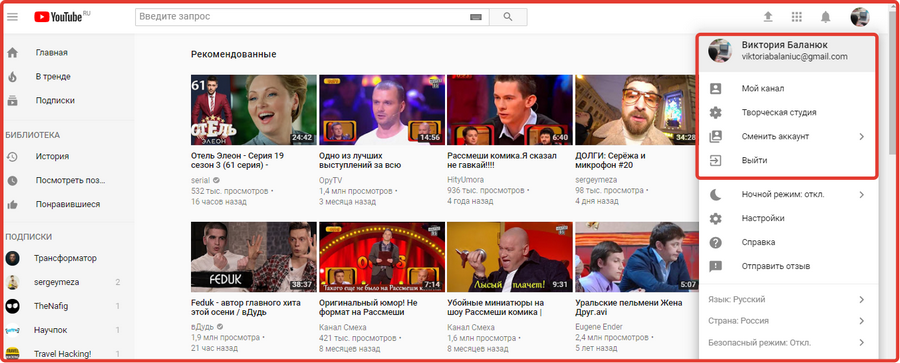
- In the small window that appears there, go to the creative studio. You will automatically be redirected to a page with all the possible settings for your videos.
Please note thatOn the left there is a list with sections. By default you are in the Control Panel section. But we need a “Video Manager”, which is in second place.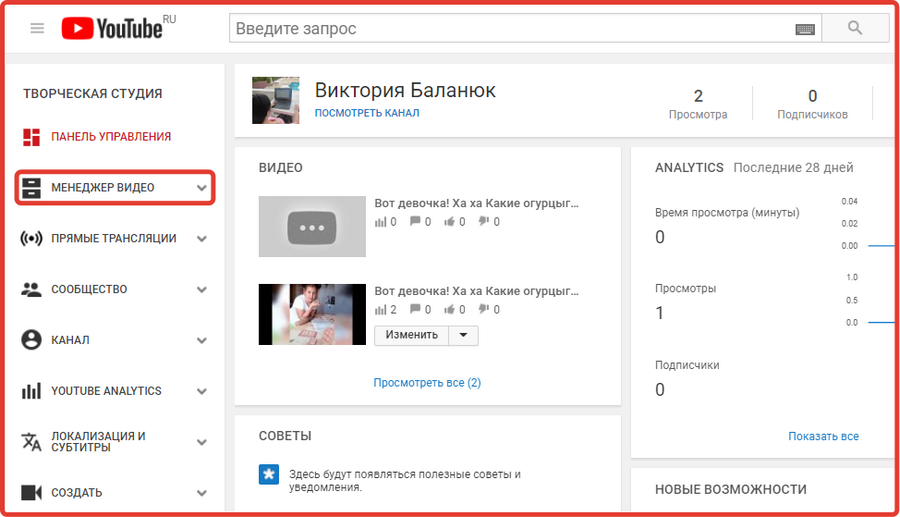
- On the default page you will be taken to, you must select the video you want. Next to it will be an “Edit” button with a small arrow-shaped triangle next to it.
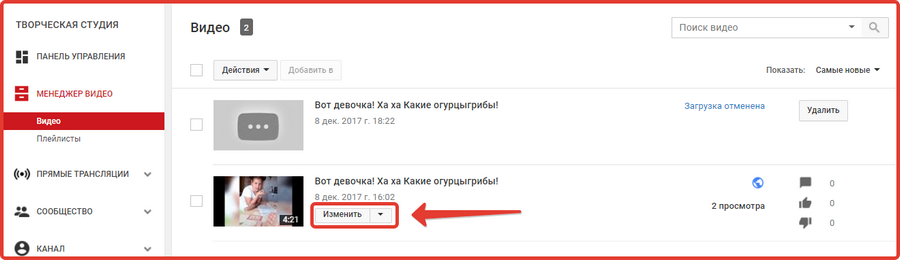
- There are two ways to go here. You can click the triangle next to the Edit button and select End Screen and Annotations.
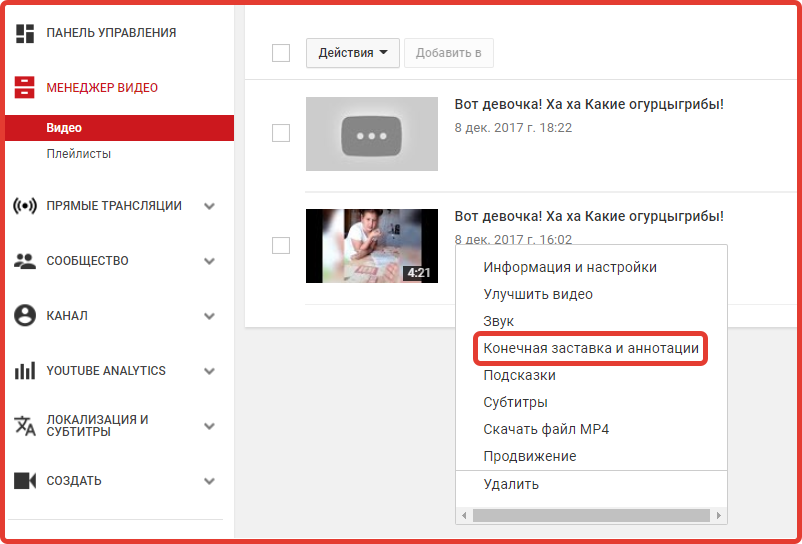
- Or you can click on the “Change” icon itself. And then you will be taken to a page with all the settings, on which at the top select the fourth subsection “End screen and annotations”.
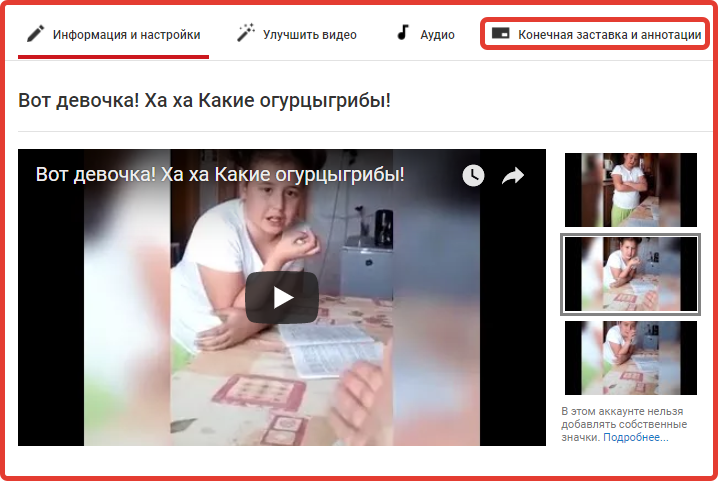
- In any case, you end up in this section.
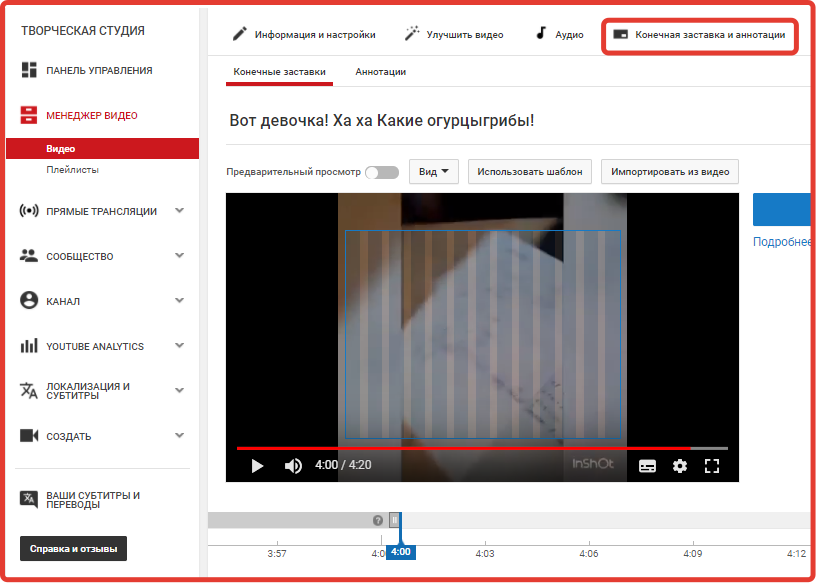
- Here you are in the End Screens section. You need to go to “Annotations” and then “Add”annotation" rights from the video. All settings for it are also located there, and you can also select the type of annotation.
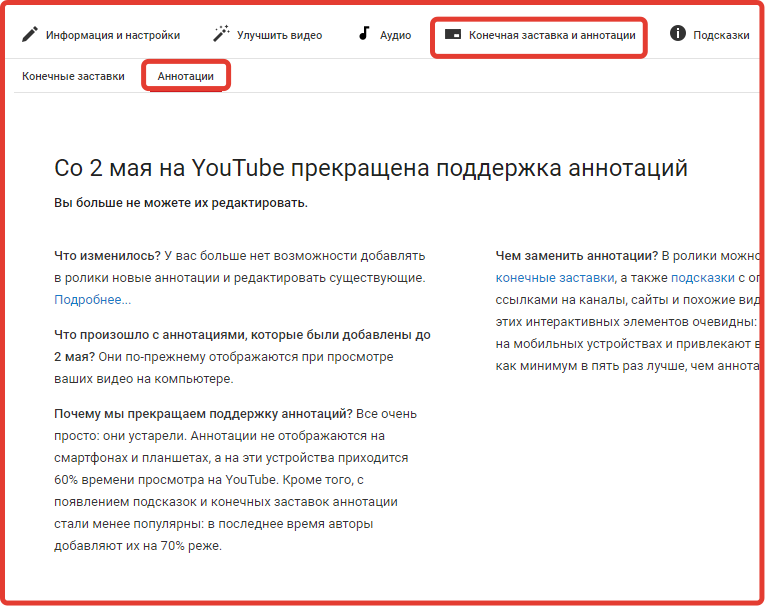
However, today, going to the annotations section, you can see information that from May 2nd youtube video annotations are disabled. The service did this because they were outdated.
After all, they cannot be viewed from smartphones or tablets, but according to statistics, they account for the most views. Annotations can now be replaced with screensavers and tooltips with links to channels.
More information about this can be found on the page where the annotations used to be.
After such an update, many people do not know in what ways they can now promote their channel or individual videos. However, this is not difficult now. We will be happy to promote your video in a short time. Ordering this service from us is much easier than wasting a lot of time.
What does the annotation affect?
Annotations still bring many users to the pages of video bloggers. They work and perform their function perfectly.
However, these are those that were created before they were turned off, that is, until May 2, 2017. They still appear when watching videos on a computer, but they cannot be changed.
For those who do not know how to disable annotations on YouTube forever, it is worth noting that access to them is already closed. Therefore, it is no longer possible to disable them.