

What are YouTube tips and what are they for?
What are YouTube suggestions and how to manage them? Details in our blog.
Tips on YouTube, this is another way to communicate with your viewers and subscribers. As a result, this is one of the effective methods of channel promotion.
Essentially, the tips in the video are similar to annotations. They differ in location and appearance.
For example, annotations can be placed anywhere on the screen, but hints can only be placed in the upper right corner of the video.
Such hint messages are supported on both computers and mobile devices. They allow you not only to advertise your own and other people’s channels and videos, but also to promote products, talk about promotions and more.
How to add video to tips?
If a video has a hint added, during playback you will notice a small gray rectangle with a message or a circle with an exclamation mark in the middle in the upper right corner of the video.
By clicking on the icon,viewers will see a hint.
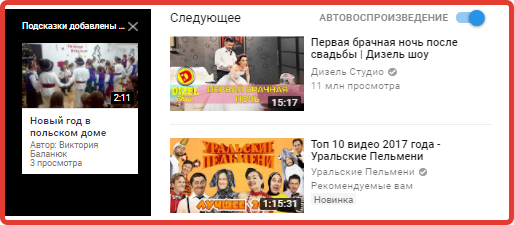
How to add video to tips? This is easy to do, just follow our recommendations step by step:
- Go to the YouTube main page.
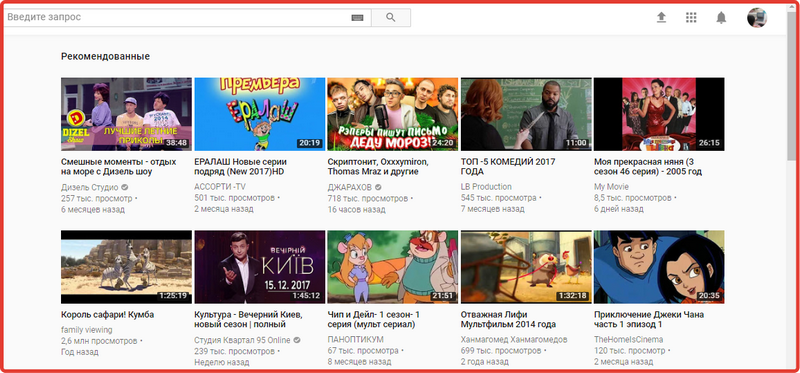
- In the upper right corner you will see a circle with your avatar. Click on it.
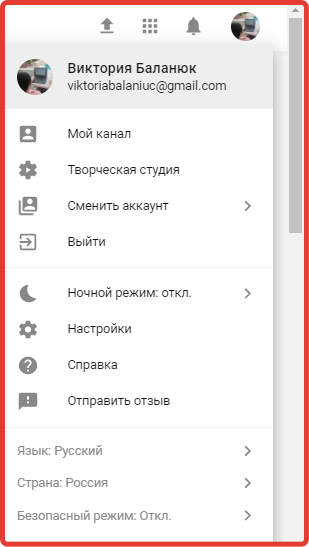
- In the window that appears, click on the “Creative Studio” section. Then you will be taken to the control panel page.
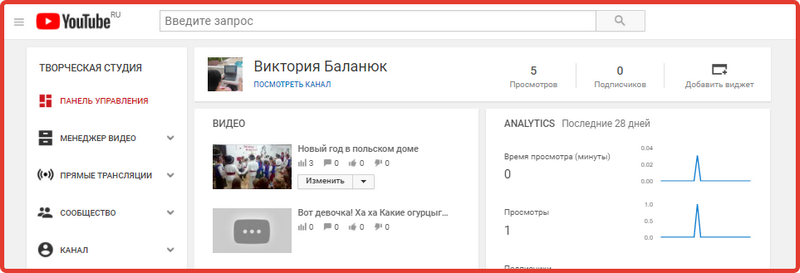
- Please note that there is a list of sections on the left. You need the Video Manager section, which is second on the list. Go to it.
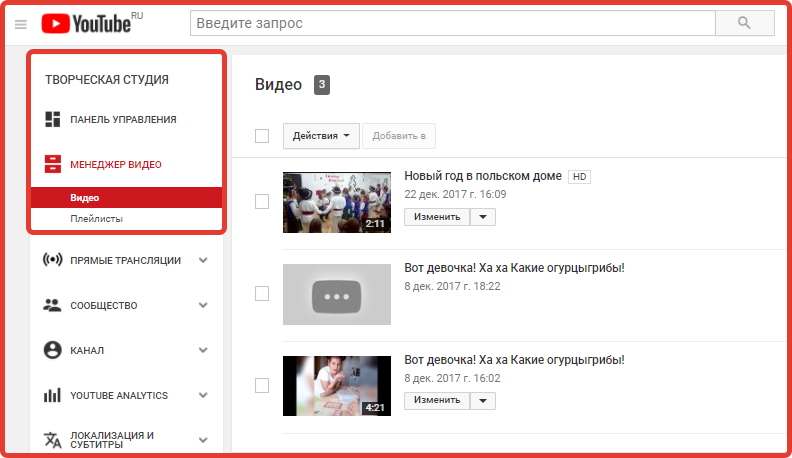
- Please note that before each video there is an “Edit” button. Now select the video that will contain your tips and click on the “Edit” button next to it.
- So, you have gone to the page for editing parameters and settingsvideo file. Here, pay attention to the row of subsections at the top, namely “Enhance Video”, “End Screen and Annotations”, “Information and Settings”.
It is here that you find the “Tips” subsection and click on it. This way you will add the desired video file to the tips section.
You have now added a video to your tooltips. Please note that you can add up to five tips to one video.
They can be used to advertise other channels and introduce collaborators. You can also view the performance of your suggestions in YouTube Analytics.
How to add hints to a YouTube video?
Before you make a hint on YouTube, you need to decide what type it will be.
There are five types of video tips in total:
- Hints with links to the channel.
This usually helps attract the interest of subscribers to other channels. Here you can add words of gratitude to the authors or a call. - Hints with links to videos and playlists.
These are the ones that are used most often. They show viewers videos that might interest them. Here you can set a time stamp so that the hint does not appear immediately, but from a certain moment. - Tips supporting non-profit organizations.
In this case, US creators may ask viewers to donate to a charity or non-profit organization. - Hints with links.
To add links to your website and online store sites, you need to join the affiliate program. Then it will be possible to create even advertising tips. - Poll tips.
This way you can ask viewers questions on any topic and add answer options.
Now that we know about their features, let's look at how to add hints to a YouTube video.
- So, above we have already added a video to the tips section. While at this stage, you will see a rectangular blue button with the words “Add a hint”, click on it.
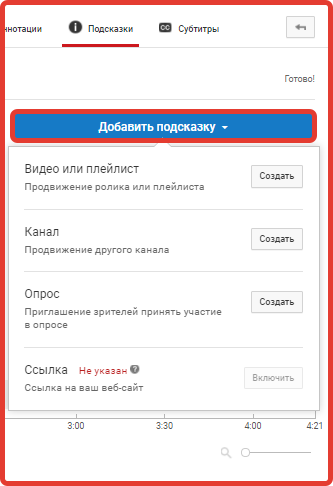
- Then you will see a window that offers several hint options. Please note that for those who have not joined the affiliate program, the last method is closed. For example, let's choose the first method. Add a video or playlist. To do this, click "Create".
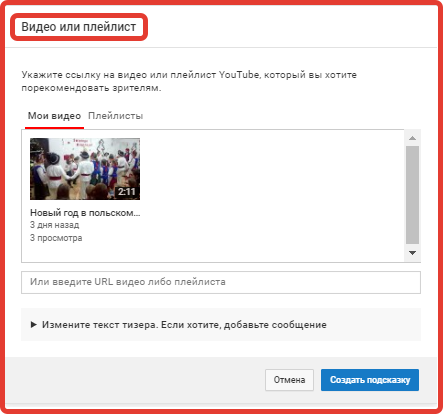
- In the window that appears, paste the link to the desired video on YouTube. And click "Create hint". Now the created hint will be displayed in the top corner of the video.
How to remove hints on YouTube?
But what to do if the created hint is no longer relevant, how to removetips on YouTube. This is even easier to do than to add. Go to the tips section with the required video file. You will see all the tips that were added earlier.
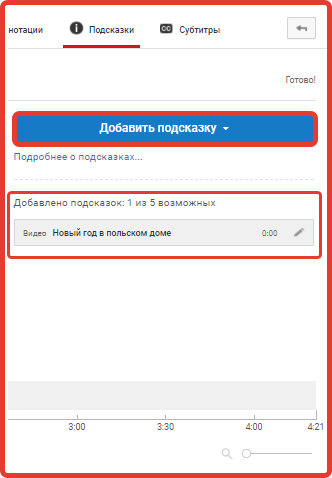
Next to them is a pencil icon. Click on it.
At the bottom of the window that appears, you will see three icons, “Save”, “Cancel” and “Delete”. Click on "Delete". Then the hint will be quickly removed.