

How to link several sites to a YouTube channel and why?
Can’t understand what linking a channel to a site is?! We talked about this in detail in our blog, read on!
Every video blogger who strives to make money from advertising and from gaining views and subscribers sooner or later begins to post links to various sites in annotations and tips for their videos.
Moreover, many have not one, but several sites, links to which they want to publish on one YouTube channel. Let's look at how linking a YouTube channel to a site happens.
Many people do not know how to link a website to a YouTube channel, but for some this procedure is quite important. The site can be very easily connected to the channel through the YouTube interface. Step-by-step instructions will make this procedure as simple as possible.
Brief instructions
- Go to the YouTube home page.
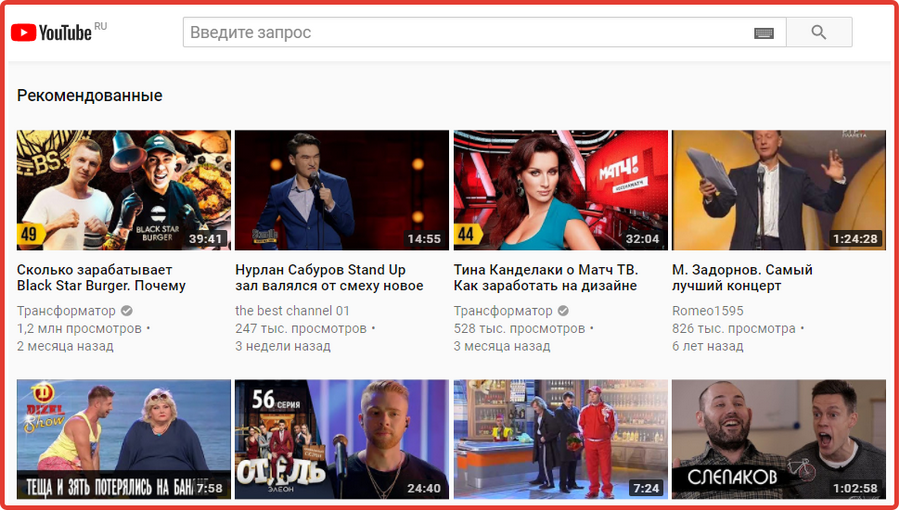
- Click on the icon with your photo in the upper right corner.
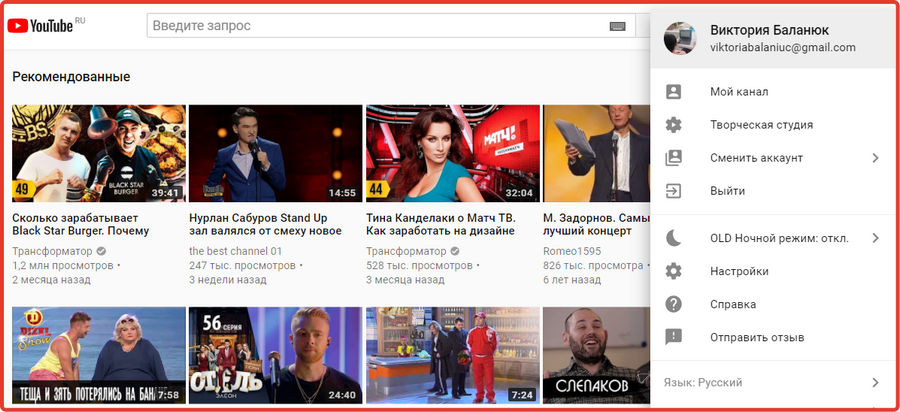
- A window will appear in which you need to selectand click on the “Creative Studio” section. After this, the settings page will open, which by default is open under the “Control Panel” section.
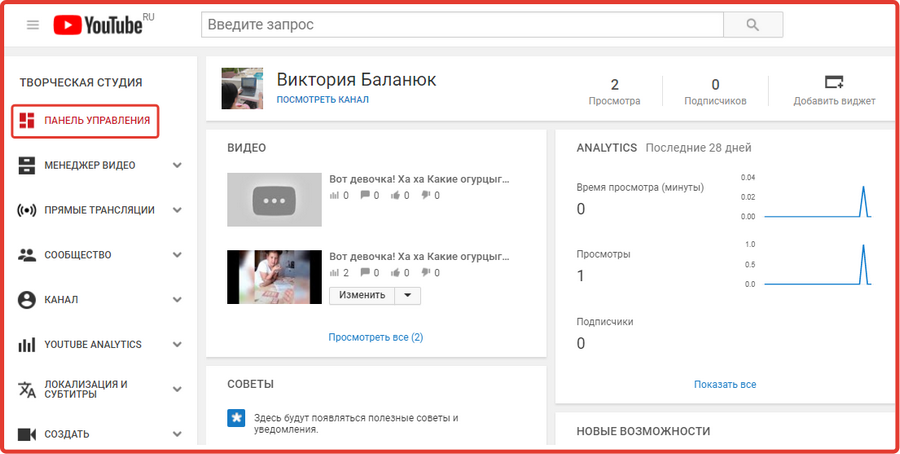
- Pay attention to the “Channel” section, which is located on the left side of the screen. It is presented as one of the points among the other sections.
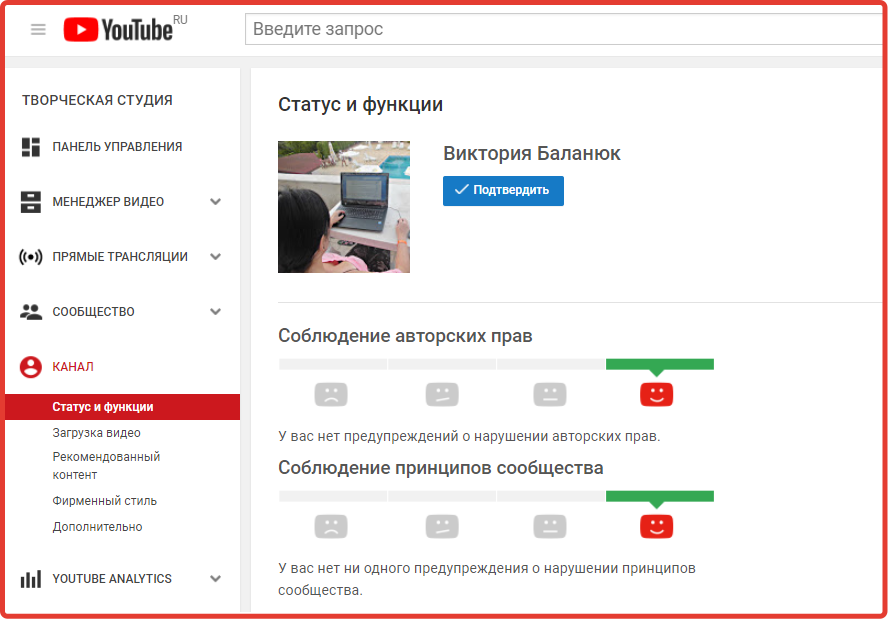
- When you click on this section, several additional functions will open, right below this section. From them, select the last command “Advanced”.
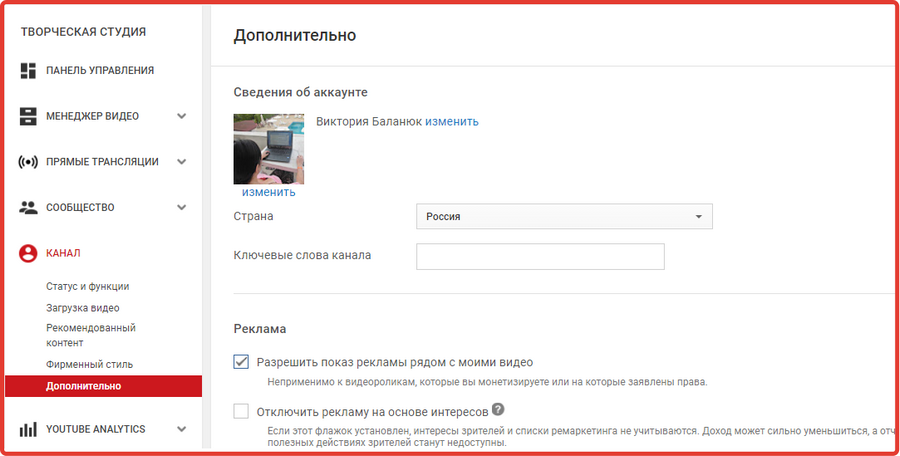
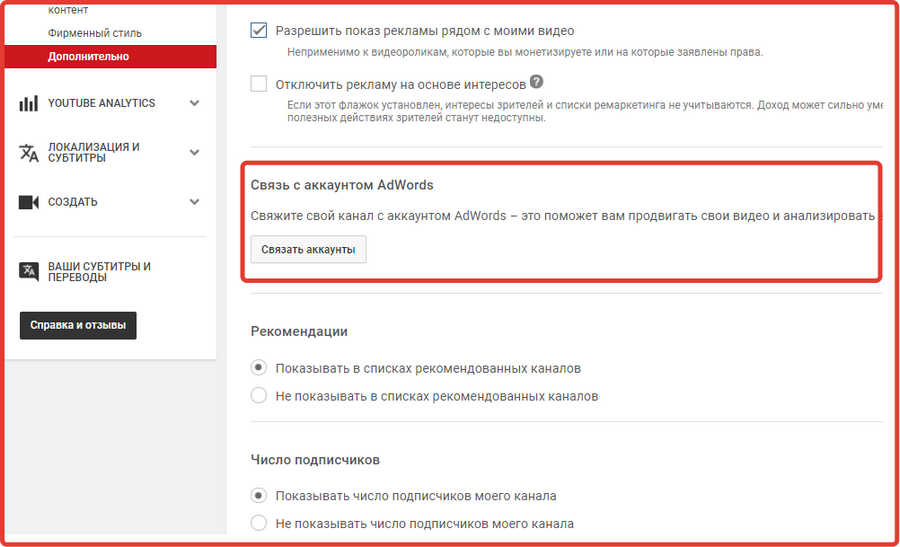
- The page that appears needs to be scrolled down. Find the “Link to an AdWords Account” section and click “Link Accounts.”
- When you are done, the following window will open, the instructions of which you must follow.
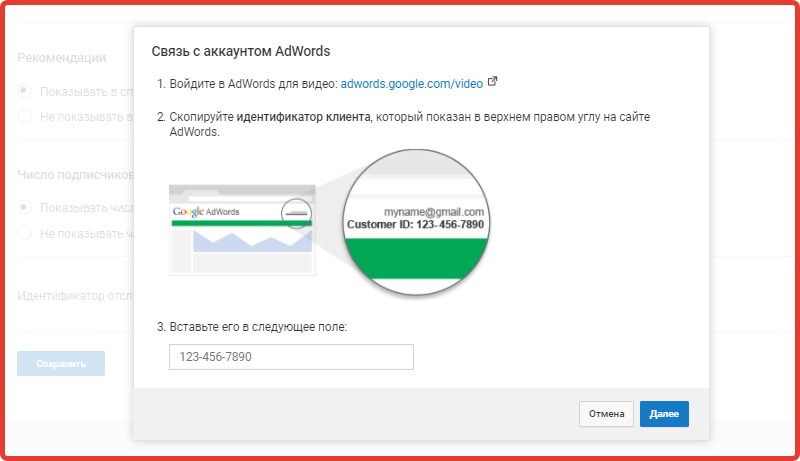
- To begin, log into AdWords for video by clicking on the link provided in the first item of the window that appears. A new tab will open in whichin the upper right corner, copy and paste the client ID into the window on YouTube.
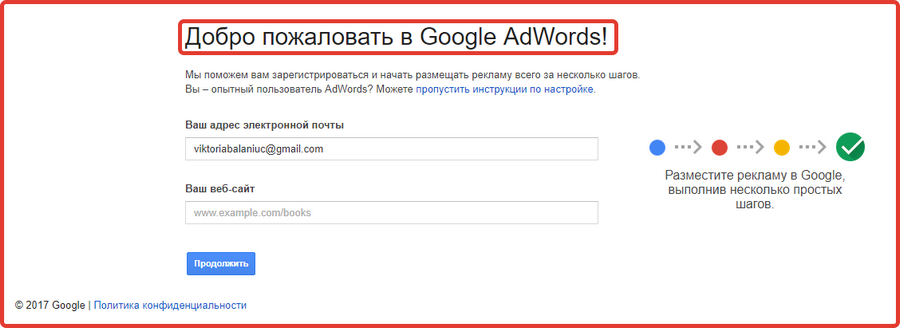
- Enter it and click Next. In the same window, other information will appear where you need to specify a name for your AdWords account.
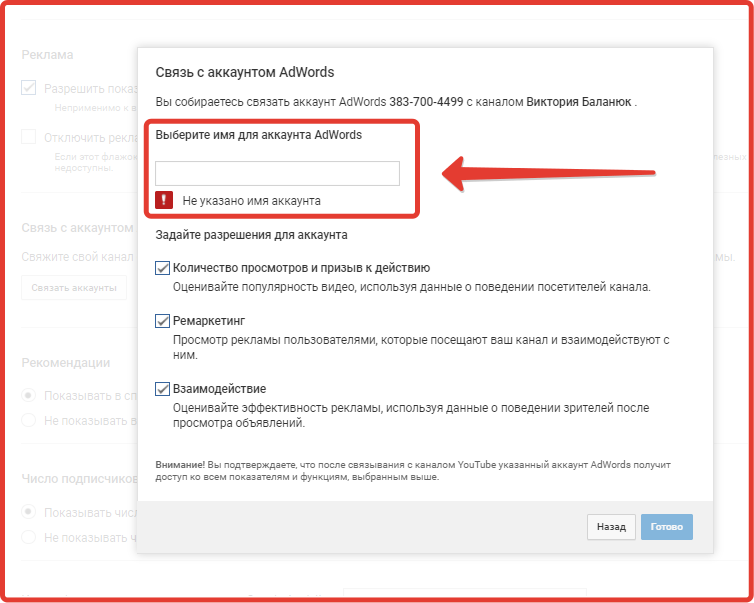
Step-by-step instructions for combining a channel with sites
Not so long ago, even before the latest updates, it was possible to link only one site to a YouTube channel. And the above method was standard. YouTube users, namely those video bloggers who tried to make money from advertising, added other sites to the channel in a cunning way. They used Google Search Console.
They used it using the email address that was hidden in the account settings. To begin with, they found it in the additional sectionsettings. Then, thanks to this site, they linked their page to the channel.
Now there is no need for this, and it is impossible to do it. To add another site, simply use the standard method, which is described above in stages.
But it’s worth noting that when you go back to the additional section of the channel in the creative studio, just below the “Link Accounts” button you will see those accounts that you have already linked before, the account name, ID and other data are indicated there.
Here's an example.
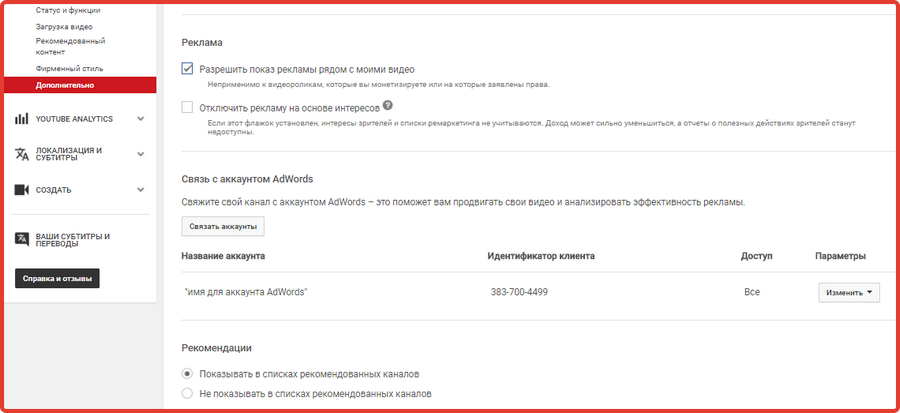
In the "Options" section next to each account name, you can change or cancel the connection.
Why do they link YOUTUBE channels with websites?
Beginner users often wonder why they link channels?
After the user carries out such manipulations, he will be able to add annotations with links to the video. This is done in"Video Manager"
Opposite each video there is an edit button and a small dark gray triangle in the form of a down arrow. By clicking on this triangle, you need to select the “End screen and annotations” section.
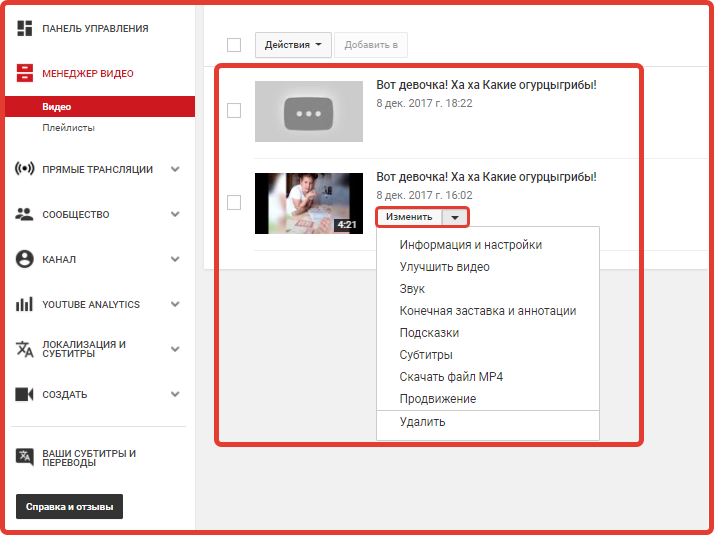
In the section that opens, you can add links from related websites and annotations.
What is the benefit of linking a channel to a site?
Links to sites allow experienced and even novice video bloggers to earn money from advertising for clicks or YouTube views. This is a great way for those whose content is of interest to many people.
However, not everyone knows how, and many do not want to deal with the binding procedure. To do this, they simply purchase a ready-made page from us. It’s much more convenient, and quality work always pays off.