

Designing headers for a YouTube channel
Designing headers for a YouTube channel: detailed instructions and tips for beginners.
 Each channel has its own design. One of the most important elements of the graphic decoration of a channel on YouTube is its header - an image that is located above the content.
You need to think very carefully about choosing a picture that will subsequently become the main background. When you have already decided on the image, you can start creating the header itself.
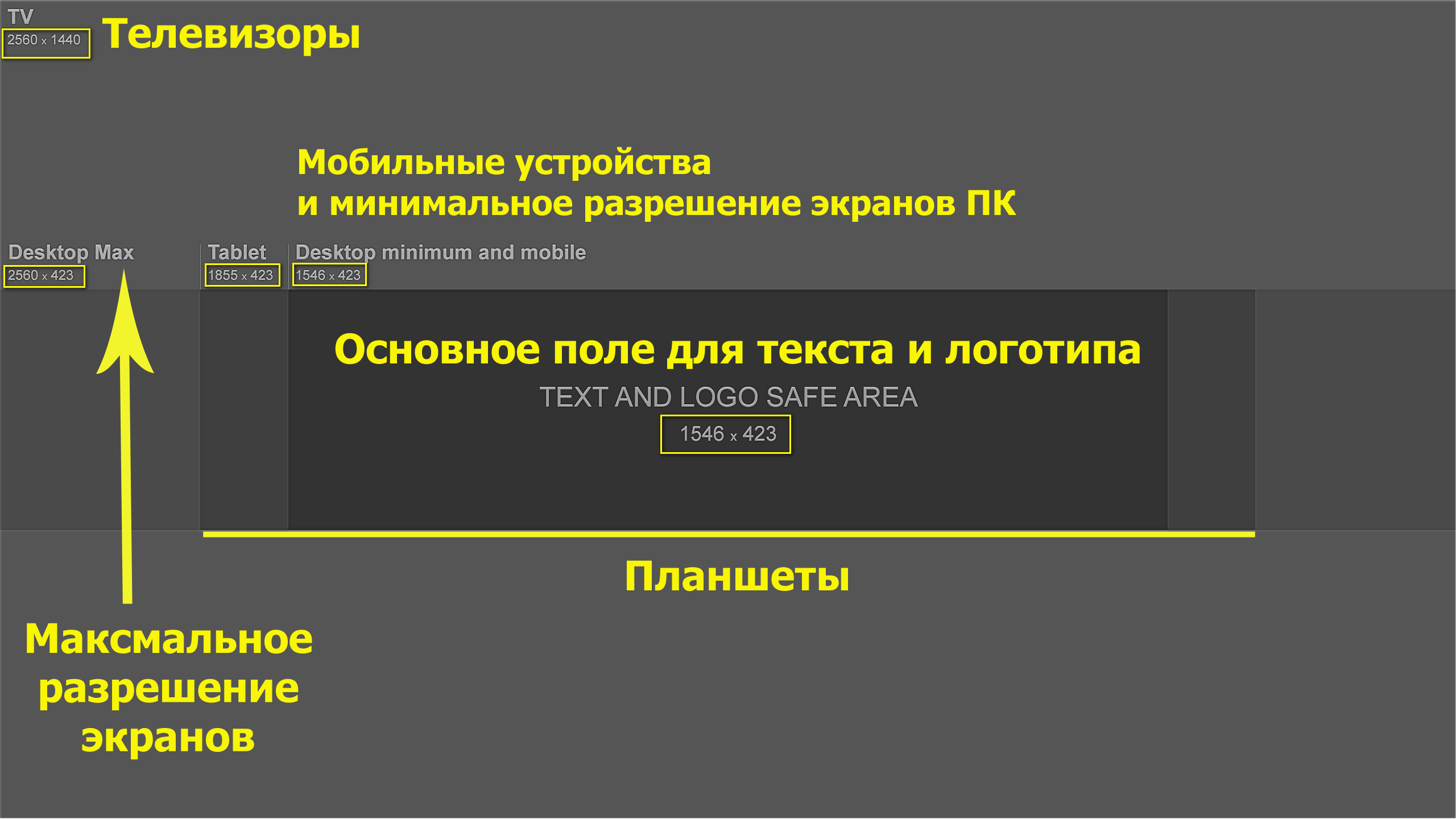
Headers for a YouTube channel have certain requirements. Only an image with a resolution of 2560x1440 is suitable for the header. Such large sizes are due to the adaptation of the channel design to the different platforms of electronic devices on which your account can be viewed. You can find such an image in a search engine or create it yourself.
If you create a header in Photoshop, you must first create a document there with exactly this extension. After inserting an image, you can edit it (stretch or shrink it) and resize it.
You can experiment with the correction and exposure settings in Photoshop. After preparing the base for the future channel header, you should select a rectangle and stretch it across the entire document. You can apply different filters to this area (shadows, noise, tints), the use of which depends on your tastes.
What should I write in the header?
At this stage the hat is almost ready. But it is considered good form if it contains some special elements. For example, most often the name of the channel itself is superimposed on the main image. In addition, you can add other text.
For a company, a good solution may be to provide contact information (phone numbers or addresses).
You can also make inscriptions in Photoshop. There are no restrictions on the flight of your imagination and creativity. The main thing is not to overdo it and not to insert too many elements into the header.
You should use the “Horizontal Text” tool and inside the specified block make an inscription with the necessary font and color parameters.
Fonts can be downloaded and added to the program if the existing ones do not satisfy you.
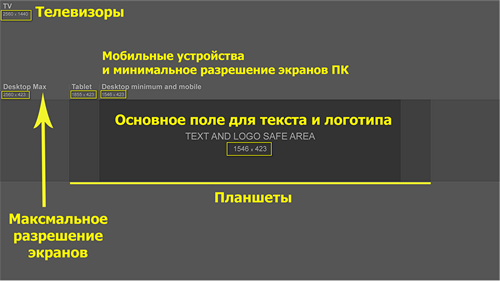
You can download the markup in high resolution here
The size of the inscription also depends on you. As you can see, creating a header for a YouTube channel is not a particularly difficult process. An attractive header will contribute to better recognition of your channel and its promotion.
Sometimes a call to action is made above the subscribe button in the format of an inscription in the header. This procedure can also bear fruit.
A good option for a personal video blog is to create a collage from many thematic or your own pictures. And if you have the gift of drawing, then you can resort to this method of design.
Links in the channel header
Besides the header image, a very promising option is to post links to your projects. If you have a website or blog channel, then you must put an icon of your resource there. After all, if they are interested in your channel, users will follow these links. If the channel is personal, you need to post links to the profiles of your social pages.
This will expand your audience either way.
Another very important point is the combination of the channel logo and the main header image. They should not contradict or “conflict” with each other. Their appearance should be organic and attractive.
If you need help working with the channel and promoting it, our company’s specialists are always ready to offer you their help!