

Earn money from photo slideshows with music on YouTube
Read our article and find out how to make money from slideshows of photos with music on YouTube.
 Until recently, the phrase “making money on the Internet” caused distrust among many people. Now, you can earn income by working on the Internet without any problems.
Various websites and freelance exchanges allow even beginners to find remote work.
Entrepreneurs always need performers who can create high-quality content, juicy preview, so editing a slideshow from photos can also generate income.
The essence of making money from photo slideshows
The main task of the performer is to edit a video from several photographs and pictures, accompanied by music. As a rule, the duration of such videos does not exceed 3-4 minutes.
Most customers provide pictures and photographs for the slide show in the completed order, so the contractor can only edit the video, possibly, at the client’s request, create a juicy preview and header .
High-quality slideshows of work in the future may allow the performer to engage in more serious work in the field of editing.
How and why this earning scheme works
You can start creating YouTube slideshows without having any professional skills, so choosing the optimal order will not be difficult. For the most part, slide show artists learn all the necessary editing skills themselves.
Most entrepreneurs spend a lot of time advertising their product or service, which is not surprising, since original and memorable advertising has an effective effect on potential customers.
A slide show of photographs accompanied by music can be classified as one of the types of advertising - presentation. A presentation filled with information and high-quality images can arouse great interest among potential buyers and clients, so the demand for slide show projects always remains at a high level.
How to make a slideshow on YouTube?
Until recently, the YouTube video hosting site had a function for creating slideshows, but the developers, in one of the updates, decided to remove this feature.
Nowadays, to create slideshows for YouTube, you can use third-party programs, such as “Movavi Video Editor”, “Sony Vegas Pro”, “VideoMONTAZH”. All of them are free, so there will be no problems installing and running them.
Question “How to make a slide show for YouTube?” quite popular, so below we provide more detailed instructions for creating a presentation with photographs and music.
Instructions for creating a YouTube slide show
Before you start editing the video, you need to decide on the presentation style. Selecting photographs and music often takes up most of the time spent processing an order.
After selecting all the necessary content, you needchoose a program for editing, since there are enough free services for creating slide shows.
Let's look step by step at how to create a slide show on YouTube using the Video Editing program as an example:
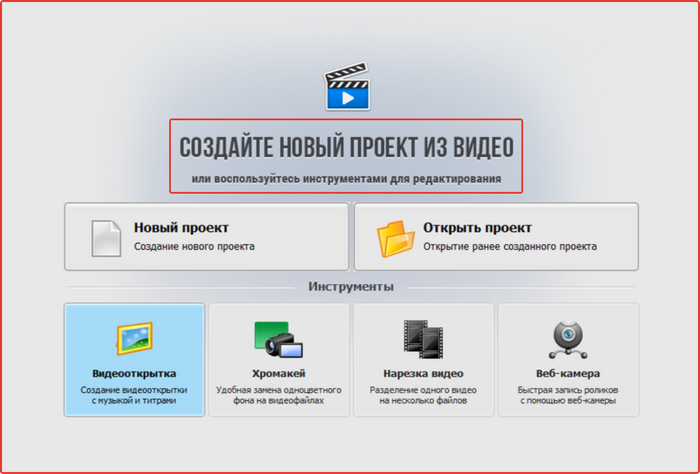
- 1. After starting the program, select “Create a new project”, after which a window opens with all available functions.
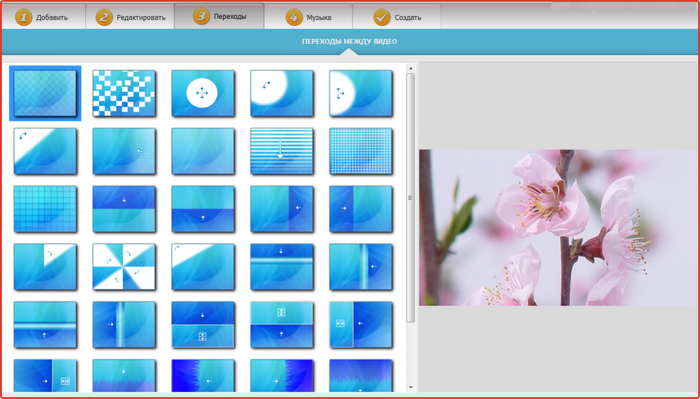
- 2. We select previously downloaded photos for the project and select transition effects.
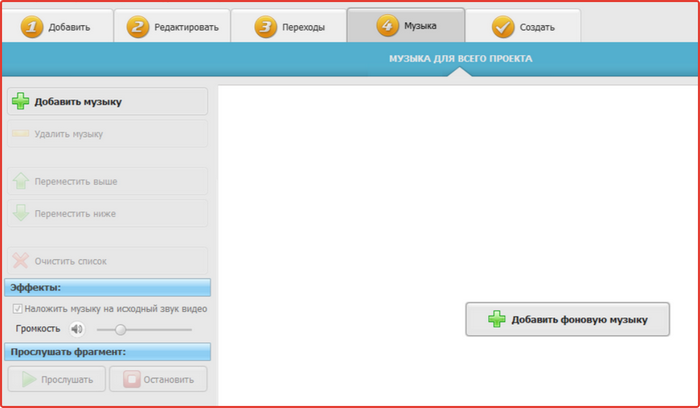
- 3. Next, we attach musical accompaniment to the project (the program supports all modern audio formats).
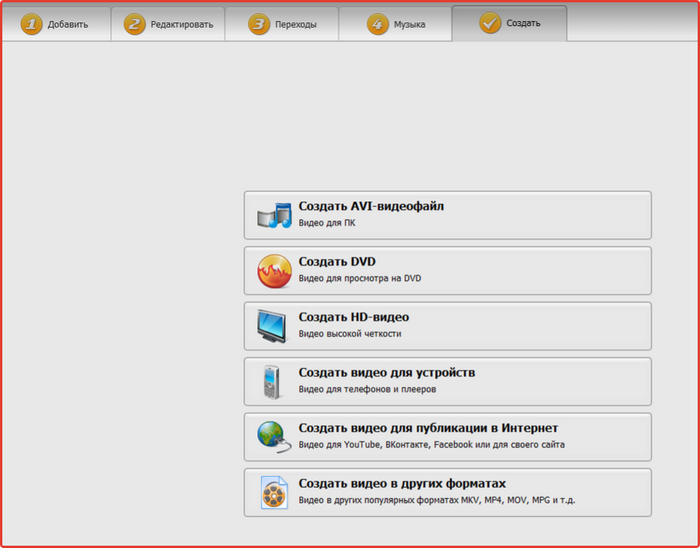
- 4. After that, select the “Create” section and look for a suitable video format. After converting the video, select the storage location for the project.
- 5. Next you can downloadslideshow to the YouTube channel on the page.
It is easy to understand how to create a slide show on YouTube since all the programs necessary for this purpose are always freely available.
What programs are used to create slide shows?
In addition to the programs listed above, you can use the following services to create slide shows:
- “SlideShow Video Generator”;
- "YouTube Video Generator";
- “ProShowGenerator”.
“YouTube Video Generator” is suitable for more experienced users, since the interface and functionality of the program is significantly greater than in “Video Montage”. However, the principle of working with the program is simple, so creating a high-quality project will not be difficult.
Among the advantages of the program, we can note a large number of effects, transitions and animations that can be used to diversify slide show projects.
"ProShowGenerator" is in many ways similar in functionality to "SlideShow Video Generator", so when choosing between these two programs, it is worth noting that "ProShowGenerator" is equipped with a more powerful image editor.